For hosts · Evergreen guide · October 2026
Find a film look before your gathering
A bright afternoon picnic and a candlelit dinner can call for different moods. Before deciding how you want your gathering to feel in photos, spend a few minutes with Unroll’s public film gallery. You can explore it without creating an event.
Open Filters and pause the slideshow. Choose a film tab to explore a different collection. Open a photo and use the arrows to browse. These are different illustrative scenes, not the same photo before and after a filter. Browsing the gallery does not change your event.

Start with a quiet comparison
Translation note: Non-English versions of this guide were machine-translated with Google Translate and have not yet been reviewed by native speakers. The walkthrough video is in English only.
Open unroll.today and choose Filters. The gallery offers Original, Disposable, Retro and Black & white. If the slideshow is moving between them, use its pause control, then choose a tab yourself.
Start with Original as a reference for a more natural-looking collection. Then explore Disposable for a golden, nostalgic mood, Retro for richer colour, or Black & white to focus on expressions and shapes. These are starting points for your own taste, not rules about which occasion belongs to which look.
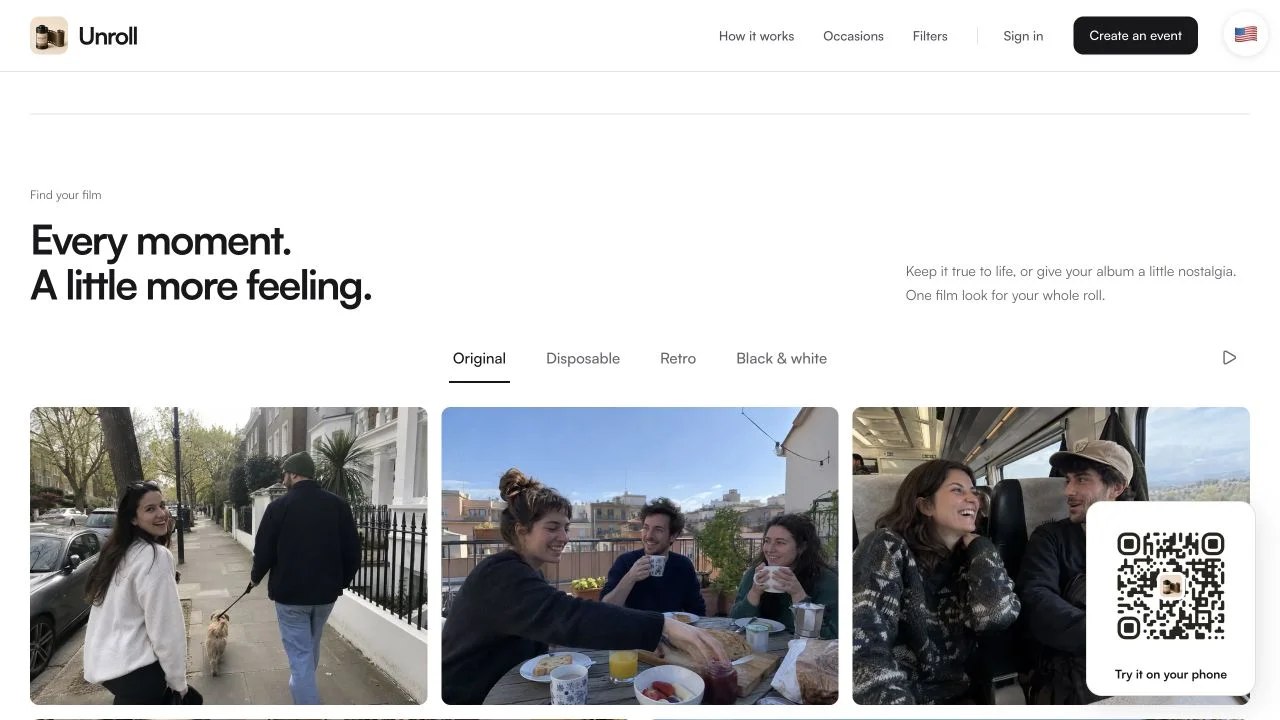
Start with a quiet comparison
- Pause the slideshow and choose a film tab.
Actual Unroll website captured October 28, 2026. The gallery photos are AI-generated illustrations, not customer events.
Tap the image to take a closer look ↗Compare the mood, not an identical photo
Each film collection shows different scenes. Switching tabs does not apply another filter to the same photograph, so this gallery is not a controlled before-and-after test. A change you notice may come from the lighting, scene or composition as well as the film look.
The example photos are illustrations made for Unroll. Use them to explore a direction, rather than as customer results or a promise of how your own pictures will turn out. Look for the details you care about: faces, colourful clothes, the room and the feeling of the light.
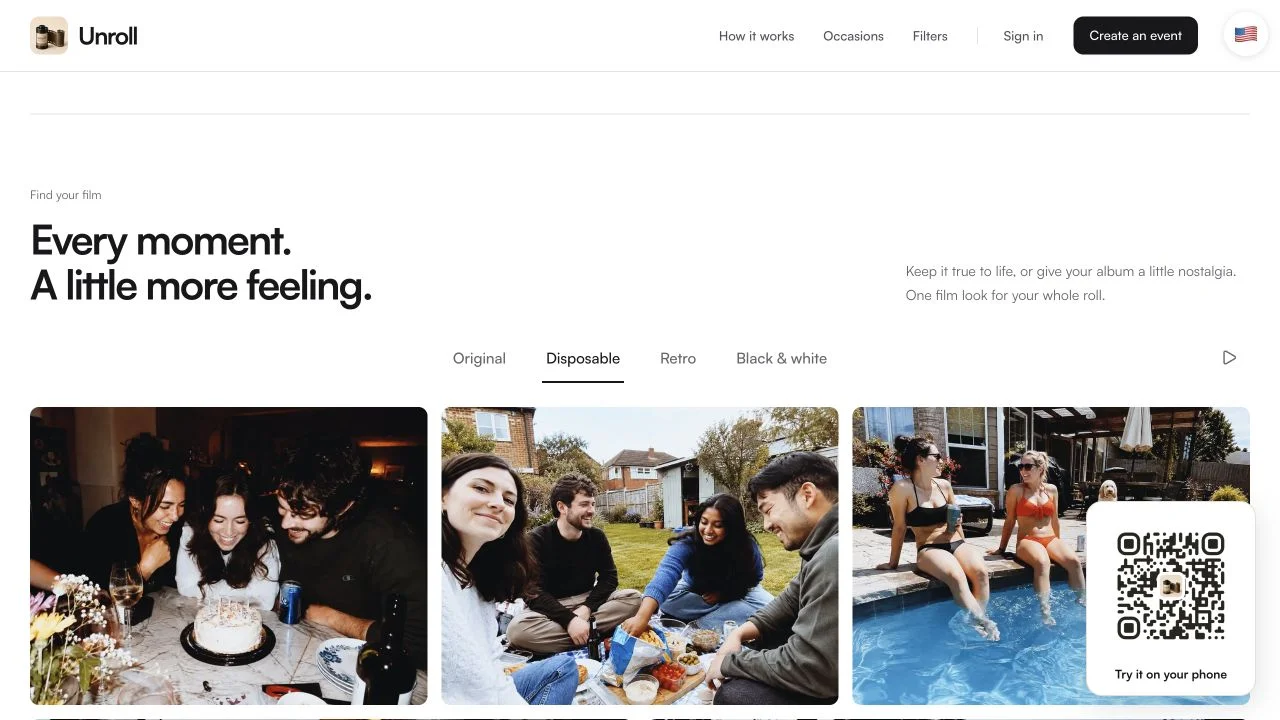
Compare the mood, not an identical photo
- Each collection uses different illustrative scenes.
Actual Unroll website captured October 28, 2026. The gallery photos are AI-generated illustrations, not customer events.
Tap the image to take a closer look ↗Open a photo and take your time
Select a gallery photo to open the larger viewer. Use the previous and next arrows to see more examples in that collection, then close the viewer to choose another film.
Keep your decision simple: pick a mood you enjoy across several examples. Browsing this public gallery does not change an event’s settings. When you are ready to host, review the film choice in your own event setup; this guide covers the public website preview, not the settings or availability of every app version.
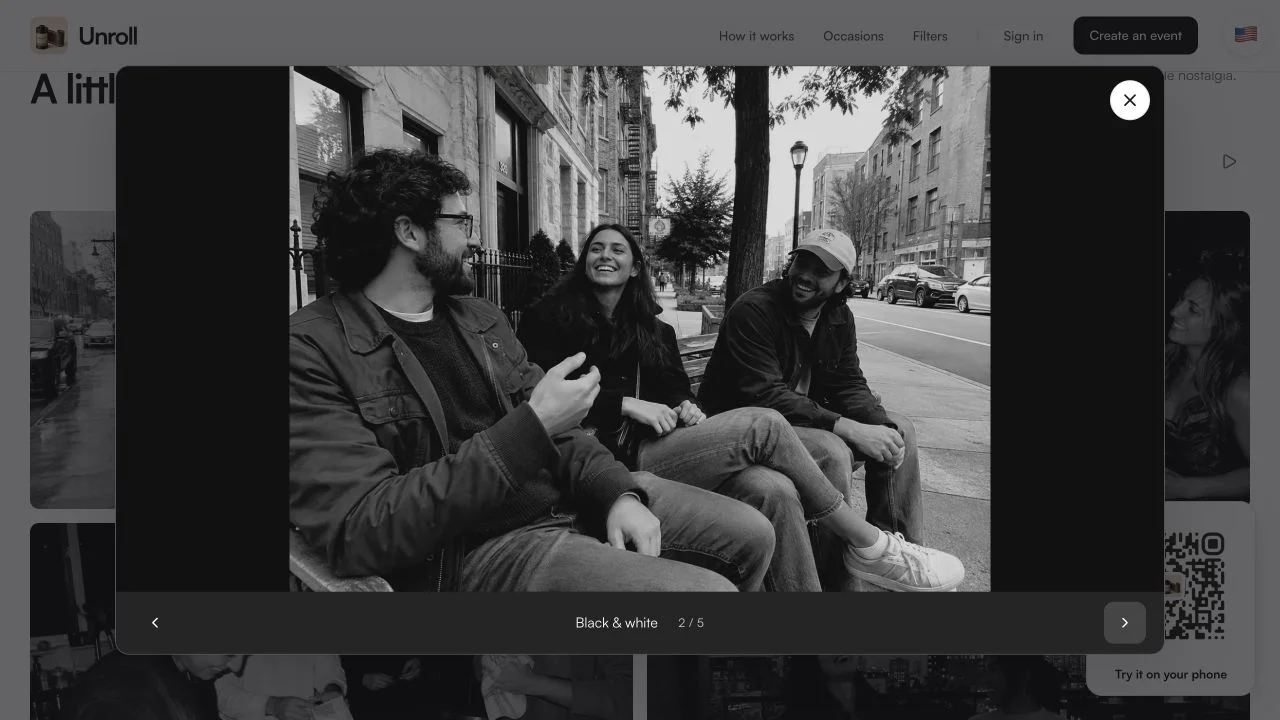
Open a photo and take your time
- Use the arrows to explore; close to choose another film.
Actual Unroll website captured October 28, 2026. The gallery photos are AI-generated illustrations, not customer events.
Tap the image to take a closer look ↗