Getting started · October 12–19, 2026
Try the guest experience before your gathering
Before you ask friends to try something new at your gathering, it helps to see their first step yourself. Unroll now has a public demo invitation you can open in your browser, without setting up an event of your own. A quiet rehearsal before the busy evening.
Open the public demo invitation. Check the three-shot allowance, then read the public-photo consent notice before joining. For your own gathering, share your own event invitation instead.

Start where your guests start
Open unroll.today/e/try to reach the current public demo invitation. You will see the event name, a three-shot allowance and a place to enter your name. The invitation is already included, so you do not need to copy a separate code.
The browser invitation says “No account needed.” It is a useful way to get familiar with the guest entry screen before you explain it to friends. This walkthrough covers the website; opening the installed app or App Clip can depend on your phone and its installed version.
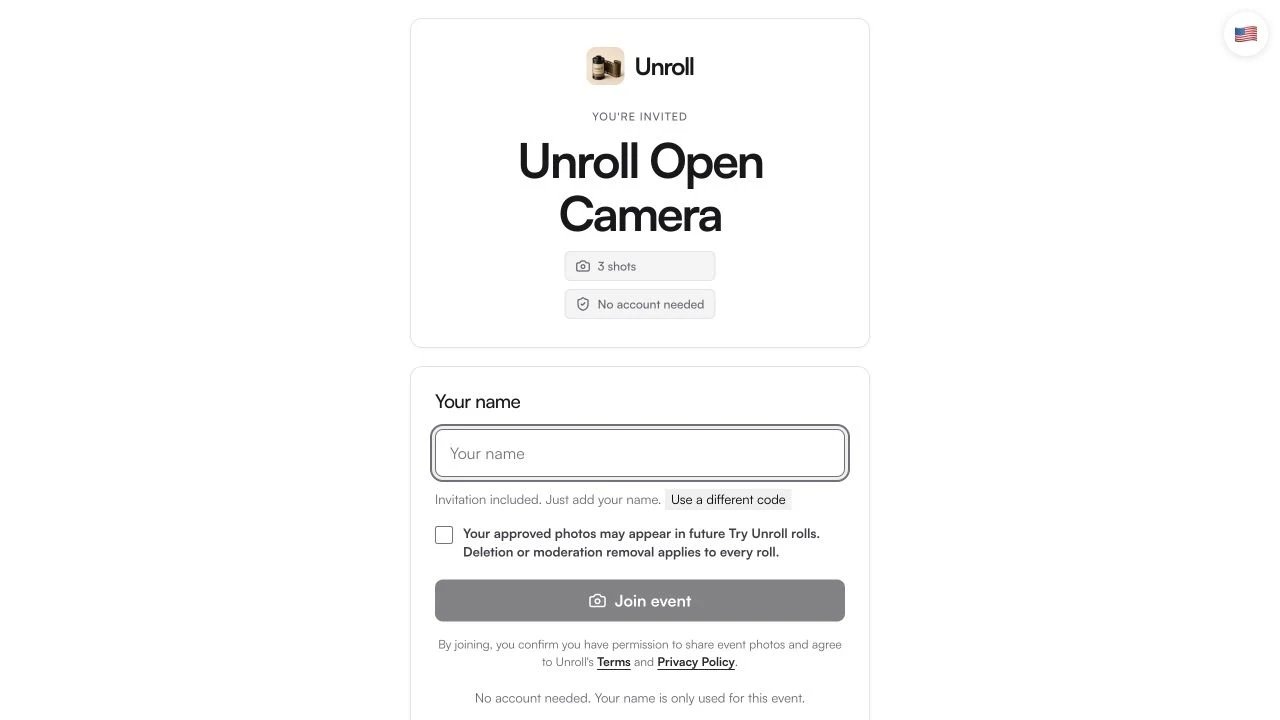
See the first step for yourself
- Open the permanent public demo link.
- Read the allowance before joining.
Actual public website captured October 19, 2026. No guest was joined and no visitor photos are shown. The demo event name may change.
Tap the image to take a closer look ↗Pause at the public-photo notice
The demo is public. Before joining, read the checkbox explaining that approved photos may appear in future Try Unroll rolls and that deletion or moderation removal applies across those rolls. Only continue if you are comfortable with that use.
Use a harmless photo you have permission to share if you decide to contribute. Keep private family moments, documents and other people’s personal details out of a public trial. The three shots are upload attempts: a rejected or canceled attempt can still use one.
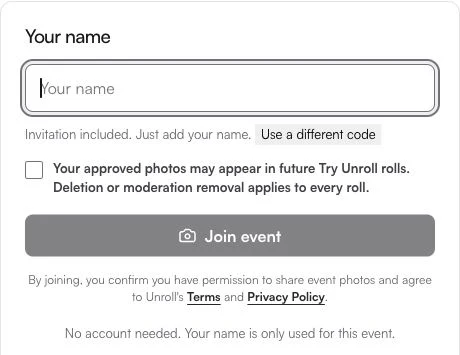
Know what you are joining
- The demo is a public space.
- Read the consent notice before choosing to continue.
Cropped capture of the real public invitation form, October 19, 2026. Nothing has been entered or accepted.
Tap the image to take a closer look ↗Use the rehearsal to make your invitation clearer
Notice the questions you had on the first screen: Where do I put my name? Do I need an account? How many shots do I get? When you invite your own guests, a short explanation of what to expect can be more helpful than a long set of instructions.
The demo link is for trying Unroll. For your own gathering, share the invitation from the event you created instead. Do not send the public demo as though it were your private event camera. Your event’s contribution and reveal settings may differ from the demo.
Come back through the same demo link
Try Unroll can move on to a fresh roll as a demo roll fills. Start from unroll.today/e/try when you want to revisit the current demo, rather than copying the temporary address your browser reached.
You do not have to upload anything to inspect the invitation. Start with the first screen, read the public-sharing notice, and decide whether you want to take the next step.