This week in Unroll · October 5–11, 2026 · with a website update on October 12
A little more at home with Unroll
A family gathering can bring together different languages, different phones and very different ideas of when to call it a night. Collecting everyone’s photos should fit around those differences. This week, we worked on the details that help Unroll feel more familiar: the words you read, the way the app looks after dark, and the reminders that bring you back to the memories.
Choose the language that feels like yours
You should not have to borrow someone else’s phone—or their vocabulary—to find your way around an album. The iPhone and Android apps offer a choice of 20 languages, with an option to follow your device language. Look for the globe when getting started, or Language in the host app’s Settings. The App Clip follows your iPhone’s language.
Last week’s Android update extended translated interface text across event setup, guest joining, camera and gallery controls, settings, and the messages that explain what to do next. It is a broader change than translating the first welcome screen.
Your event title, people’s names and the details you write stay your own. Changing the interface language does not translate those personal details. Some artwork, system screens and third-party purchase prompts can still use a different language.
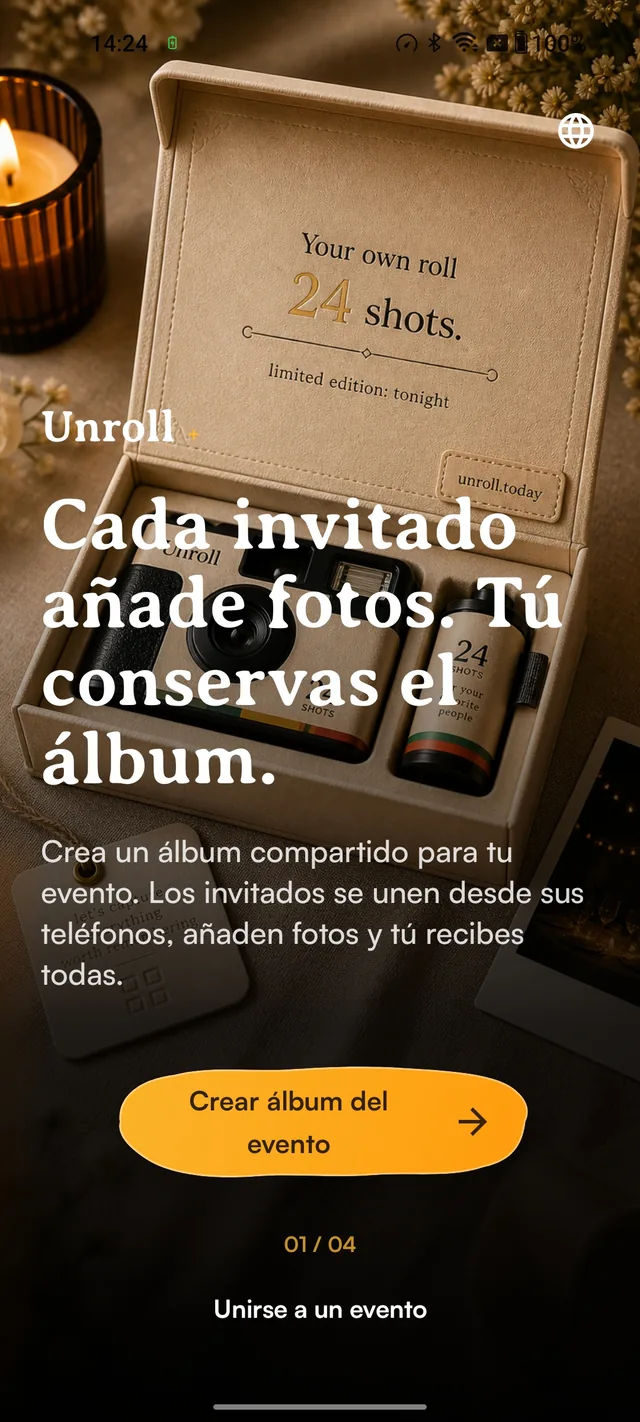
A familiar first step
- Choose your language using the globe.
- Keep your own event names and personal details.
Real Android test-device capture, October 8, 2026. Bundled illustrative artwork; no customer event. English words embedded in the artwork remain unchanged.
Tap the image to take a closer look ↗A more welcoming website, too
The website update that followed early on October 12 carries that work further, with broader interface translation across 20 language choices. It starts with your saved choice or browser language, and you can change it using the small flag selector.
This goes beyond the key navigation labels in our previous language update. The welcome text, occasion labels and more of the host and guest experience now use the selected language. Arabic uses a right-to-left layout. Before inviting relatives, try their preferred language yourself and show them where to change it.
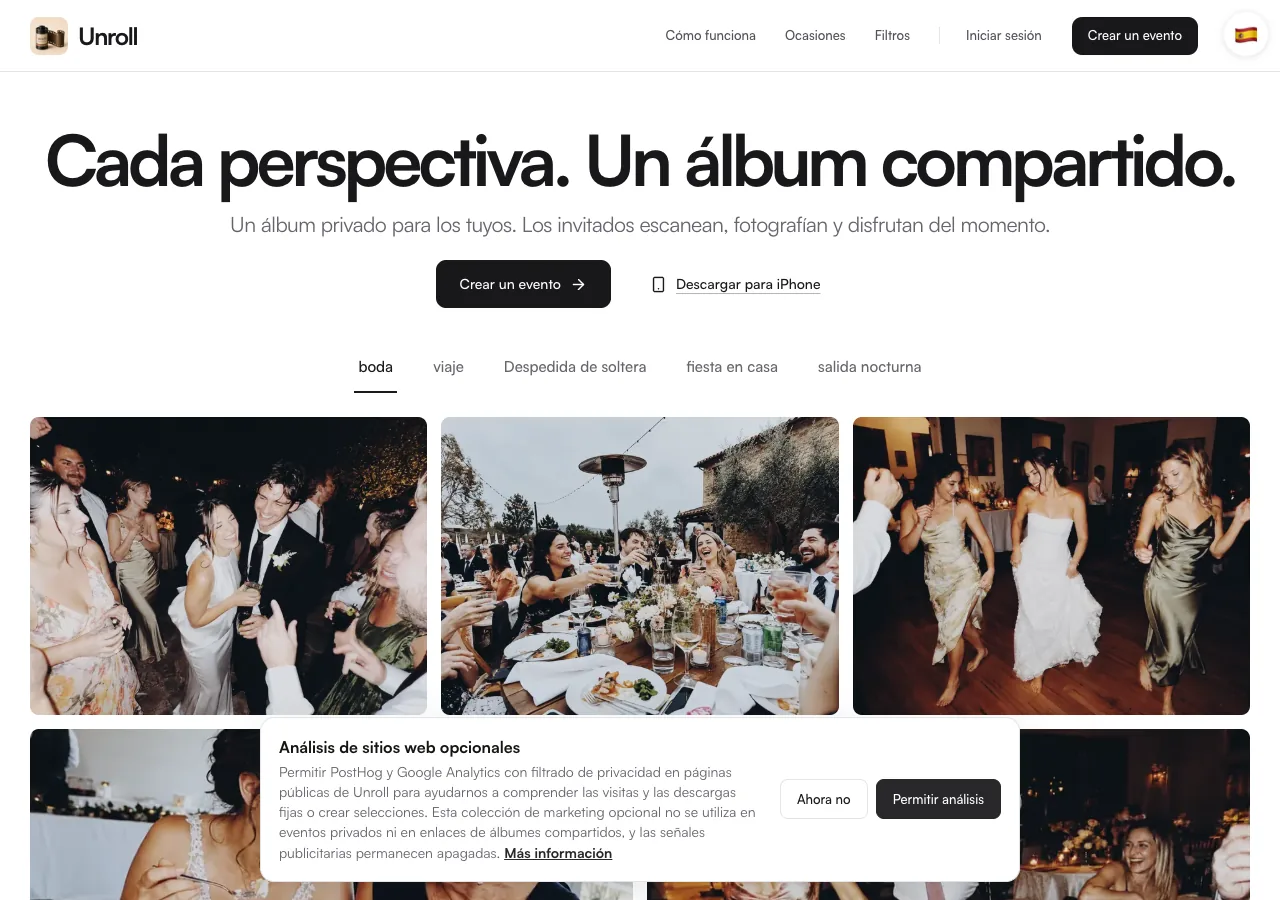
The same gathering, a more familiar welcome
- Choose a language from the flag selector.
- The website remembers your selection.
Live public website capture, October 12, 2026. Website photos are illustrative, not a customer event.
Tap the image to take a closer look ↗Keep the character. Turn down the light.
If your iPhone switches to Dark appearance in the evening, Unroll’s installed app now follows it. The paper surfaces, photo frames and controls have darker counterparts, keeping the scrapbook character without surrounding your photos with the daytime palette.
There is no separate Unroll appearance switch to hunt for. Use your iPhone’s Light or Dark appearance setting; the app responds when it changes. The darker frames change the surroundings, not the colours of the photos you took.
This update is available in the iPhone app, version 1.9. The website and standalone App Clip retain their light appearance. Android appearance improvements are also part of our cross-platform work, but we are not announcing their public rollout here until the store release is confirmed.
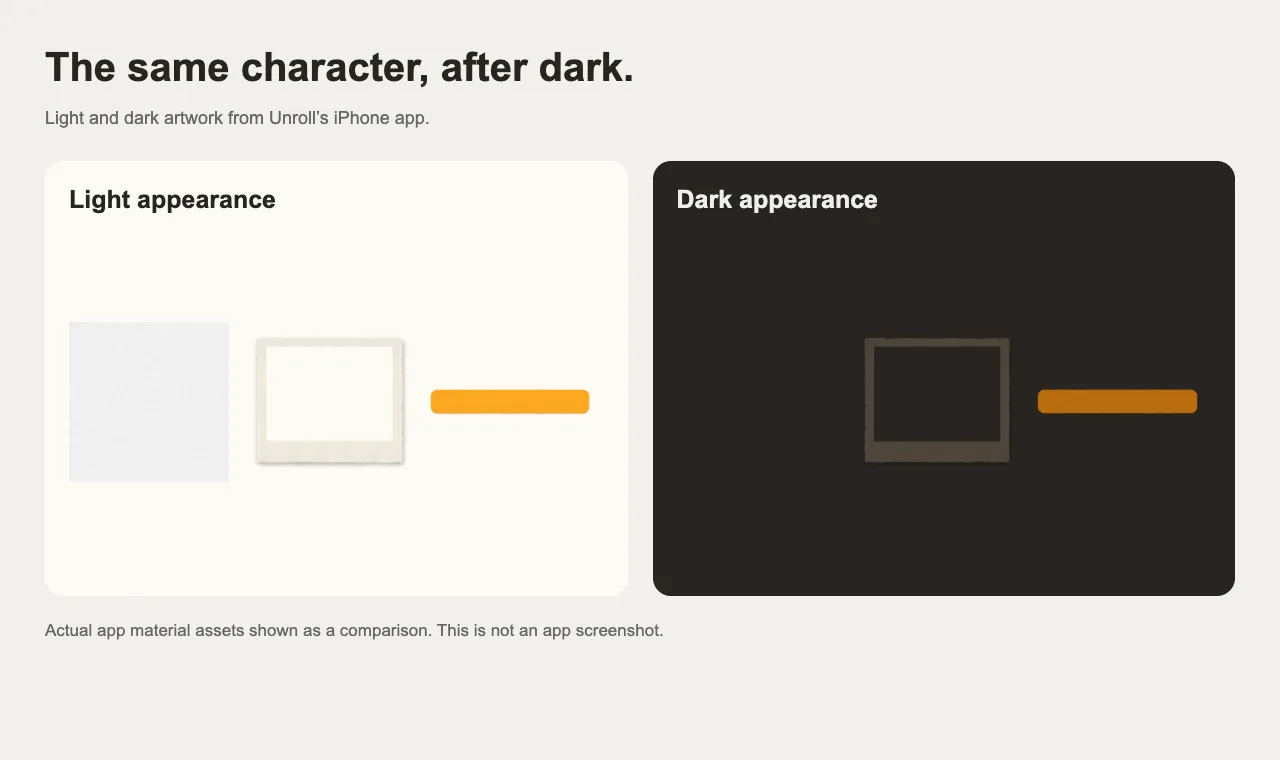
The same details in a darker palette
- Light and dark versions preserve the original shapes.
- The installed iPhone app follows system appearance.
Actual iPhone app material assets arranged for comparison on October 12, 2026. This is an artwork comparison, not an app screenshot.
Tap the image to take a closer look ↗A little help before and after the gathering
The improvements continue outside the app. Updated event emails give eligible hosts useful ways back into their event: an invitation and QR card during setup, a message when the album is ready, and a reminder to save favourite photos later.
The host recap now gives more space to the people behind the pictures. It can show the top two contributors, their photo counts and a photo from each—a small reminder that the album holds several perspectives on the same evening.
The recap is scheduled for three days after the album becomes ready, with the save reminder at seven days. These messages depend on a verified email address, event settings and email preferences; timing and delivery are not guaranteed. Guest notifications have separate eligibility and rollout rules.
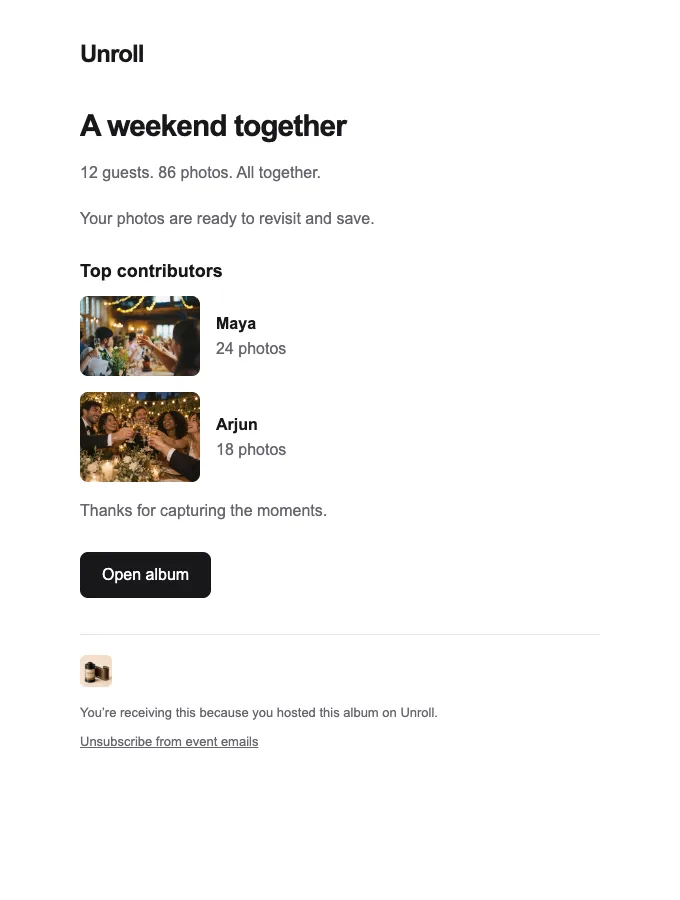
Remember who caught the moments
- Return to the album from the recap.
- Save the photos you want to keep.
Browser preview rendered from the repository email template, October 12, 2026. Fictional names, counts and illustrative photos; not an inbox capture or customer event.
Tap the image to take a closer look ↗Before your next gathering
Update the app, choose a language you are comfortable with, and test your invitation as a guest would. On iPhone, try the appearance you normally use in the evening. After the event, return to the album and save the pictures that matter to you.
These are small changes with a shared purpose: making the practical parts of gathering photos feel more natural, so there is less to figure out between the moment and the memory.